Start here
What PlanMySaaS is, the five stages, and the words you need before anything else
PlanMySaaS takes one sentence about a product and turns it into two things: an honest answer about whether the idea is worth building, and a blueprint detailed enough for a developer — or an AI coding tool — to build from. This chapter is the map. Read it once and the rest of the product stops looking like forty unrelated screens.
The five stages
The whole product in one table — what each stage is for and what it hands to the next one.
Everything in PlanMySaaS happens in five stages, always in the same order. Each stage produces something the next stage needs. If you know which stage you are in, every screen in the product has an obvious place.
You do not have to finish a stage before looking at the next one. But a later stage built on a skipped earlier one is a guess wearing a suit — the research it needed simply is not there.
| Stage | What happens | What you get | Where it lives |
|---|---|---|---|
| 1. Idea | You describe the product in your own words and answer a few follow-up questions. | A saved idea with your intake answers | Ideas → New idea |
| 2. Validation | The system researches the idea across up to 29 sections and gives a verdict. | A validation report with a score and a recommendation | Ideas → your idea |
| 3. Blueprint | The validated idea becomes a project: architecture, features, technical design, frontend, phases. | A developer-ready plan | Projects → your project |
| 4. Output | The plan is turned into things you can hand over: build prompts, documents, exports. | Prompt pack, PRD, exports | Project → Output group |
| 5. Evolution | The plan changes as you learn: new versions, upgrades, backlog, change requests. | A history you can compare and roll back | Project → Evolution group |
Signing up and your first 100 credits
What the free credits cover, and what they do not.
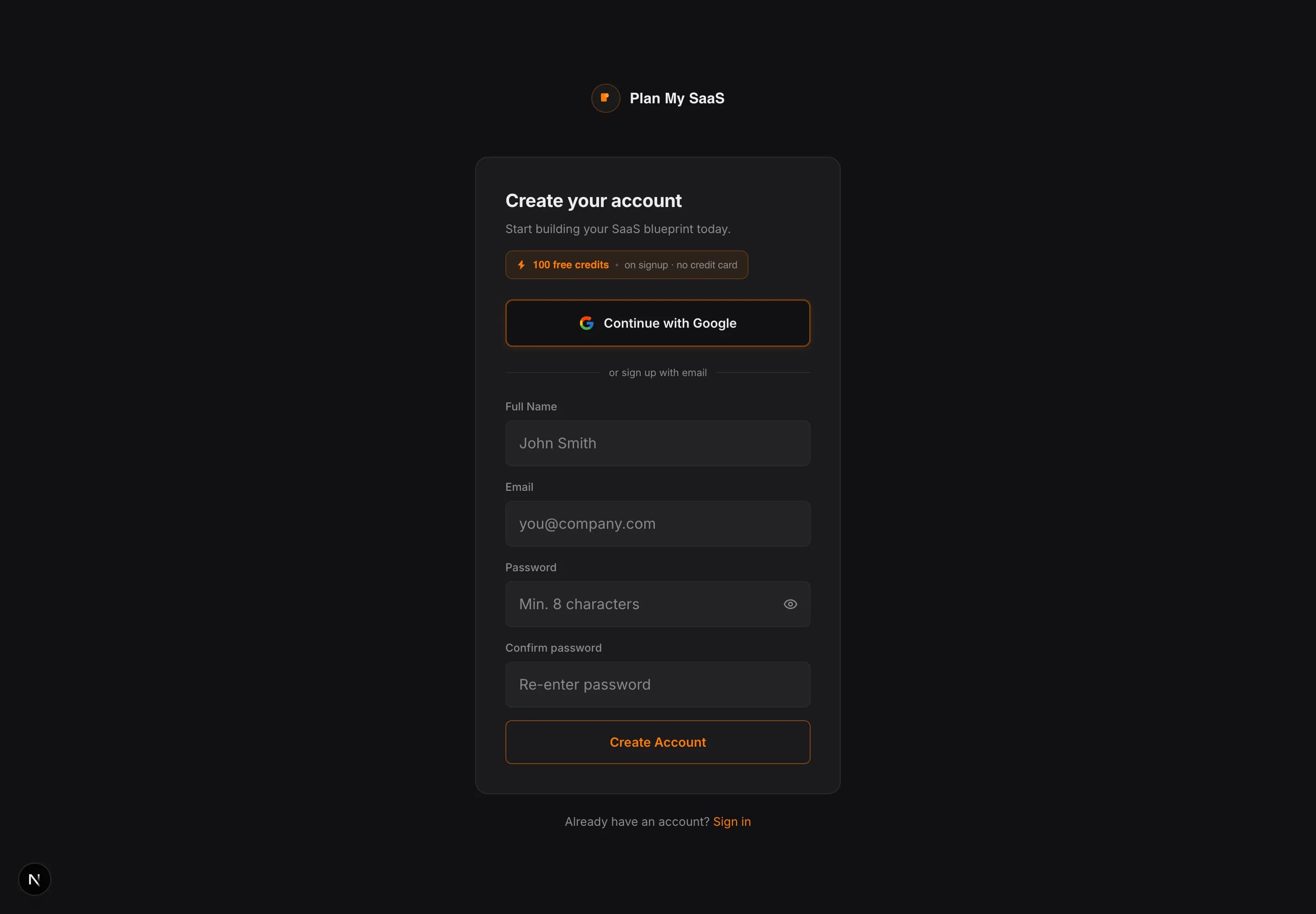
A new account starts with 100 free credits. Credits are the single unit of spend in PlanMySaaS — every piece of AI work uses them in proportion to the work it takes, and you see the typical cost before it starts, and nothing runs without your click.
100 credits let you try it on one real idea — enough to judge whether the depth is worth paying for, and not enough to complete a full blueprint.
What things cost
The credit price of every generation, and what a complete blueprint adds up to.
Nothing charges silently. Every generation states its price before it runs, and the amount is taken when the work completes.
Credit cost per generation
| Generation | Credits | What you get |
|---|---|---|
| Idea research | 60 | Up to 20 named competitors, each scored and positioned, plus market sizing, personas and risk flags |
| Strategic analysis | 30 | Product-market-fit scoring on that research, and the gaps worth building into |
| System architecture | 20 | Service diagram, data flow, tech-stack picks with reasoning, hosting cost estimate |
| Feature specifications | 25 | User stories, acceptance criteria, API signatures, edge cases |
| Technical design | 30 | Data models with real fields and relations, service responsibilities, API endpoints |
| Frontend blueprint | 40 | Routes, pages, layout system, design tokens, state management |
| Prompt Pack | 30 | 26 copy-paste build prompts written against your own blueprint |
| Documents | 8–18 | Each. PRD and onboarding are short; API reference and business plan are long |
Taking one idea through the whole pipeline comes to roughly ~1,009 credits before documents, and about ~1,205 with the core document pack. Most spend after the first draft goes on regenerating sections as your thinking changes, so plan for fewer products and more iterations on each.
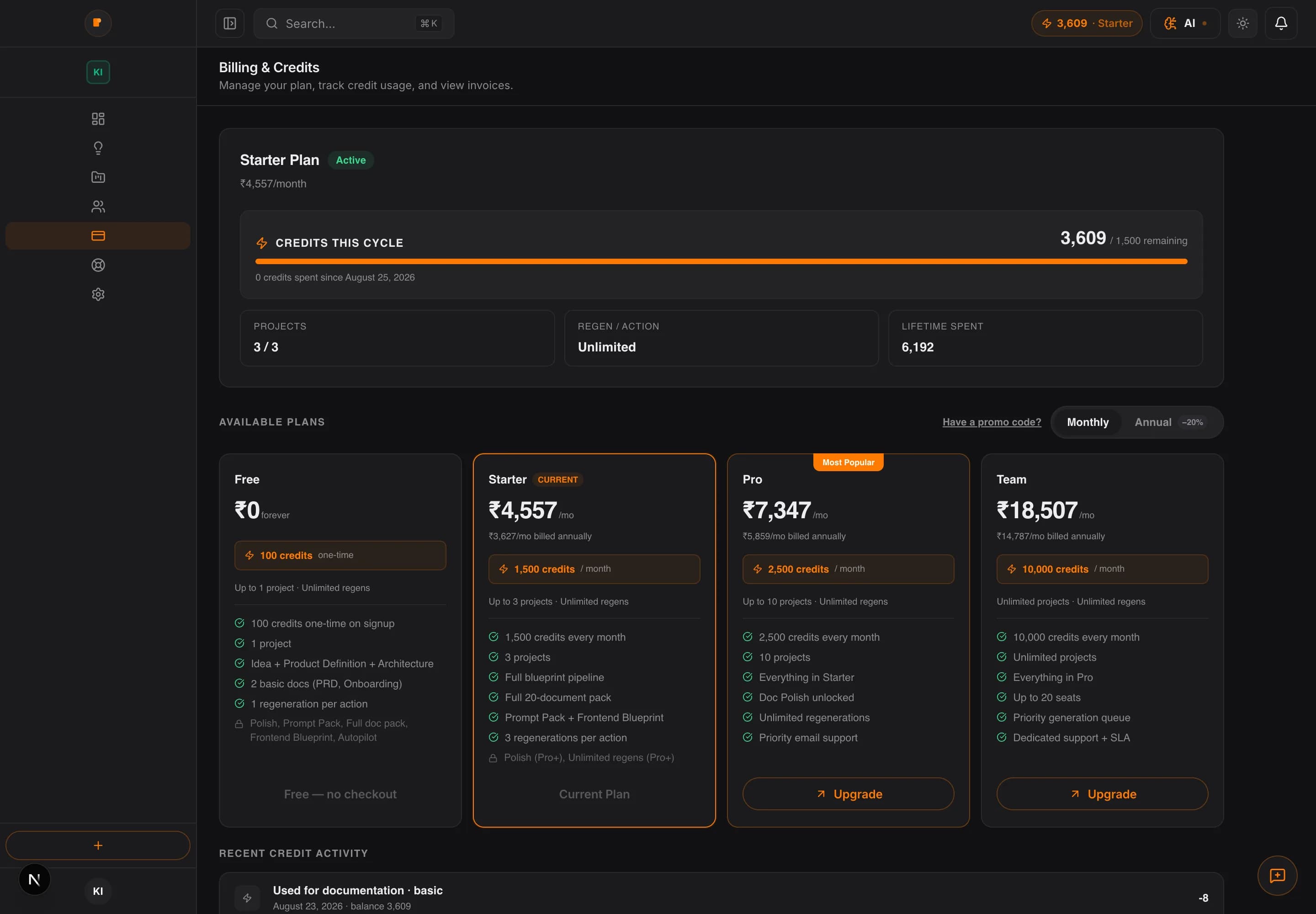
- 1Your remaining balance is always in the top bar as well, so you never have to open this page to check.
- 2Recent credit activity lists what each spend was for, which is the fastest way to see where a month went.
- 3Unused credits do not carry into the next cycle.
The workspace: dashboard, ideas, projects
Three top-level places, and what belongs in each.
The left navigation has three places that matter for the work itself. Everything else is settings, billing and support.
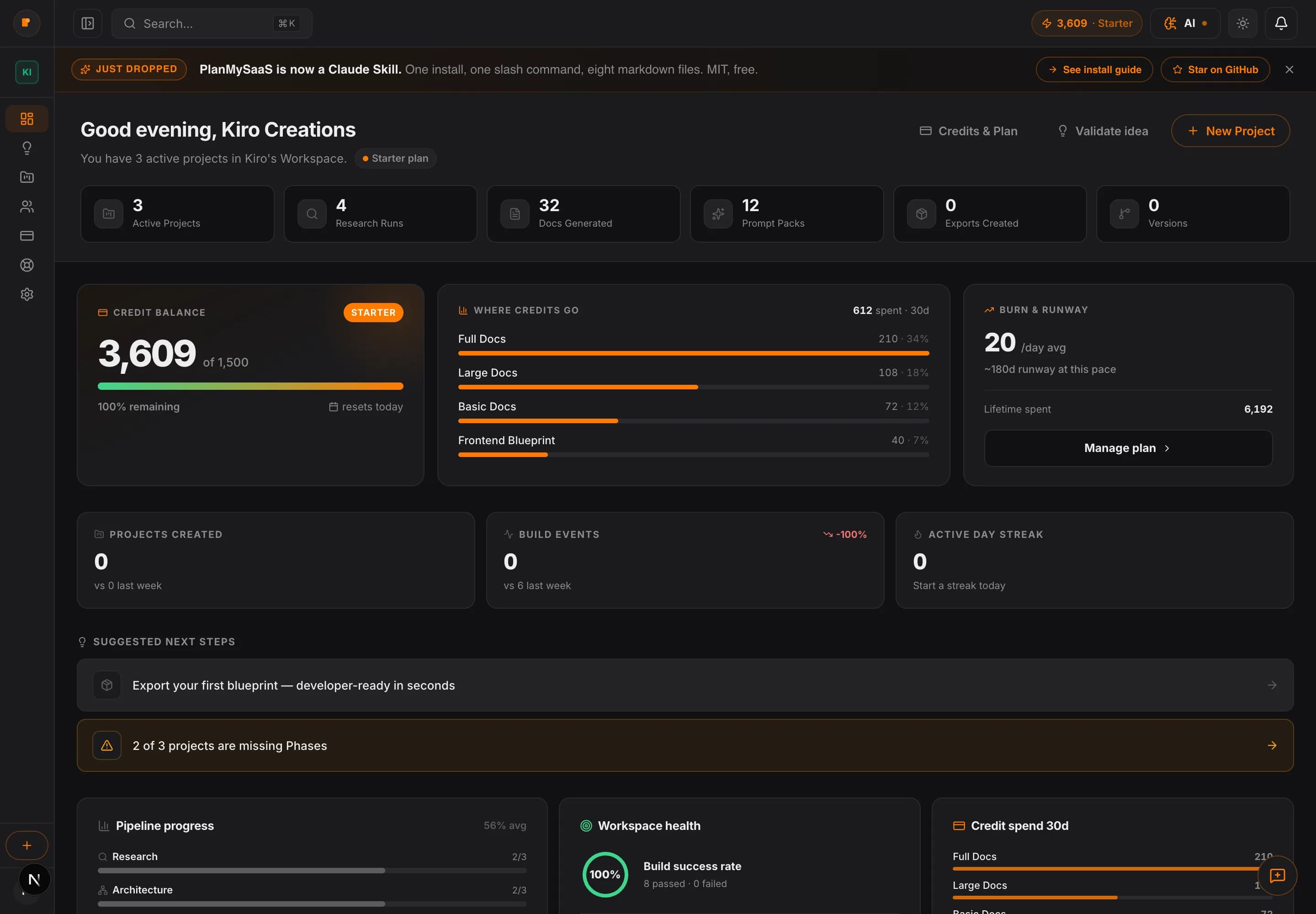
- 1Suggested next steps is the shortest path back into unfinished work.
- 2Pipeline progress shows how far each project has moved through the five stages.
- 3Credit spend for the last 30 days sits next to workspace health, so cost and progress are read together.
| Place | What lives here | When you use it |
|---|---|---|
| Ideas | Every idea you have described, validated or not. | Before you commit to building. This is where validation happens. |
| Projects | Every idea you promoted into a build plan. | After validation, when you are planning the actual product. |
| Dashboard | A summary of both, plus what to do next. | Every time you come back and cannot remember where you stopped. |
The words used everywhere
Ten terms that appear on almost every screen.
These are the words the product uses constantly. Learning them here saves guessing later.